June 3, 2026 • Cara Meltzer • 9 min reading time • Prices verified June 5, 2026
Ninja Professional Plus vs. Breville Super Q: The $100 Upgrade Question Answered Honestly
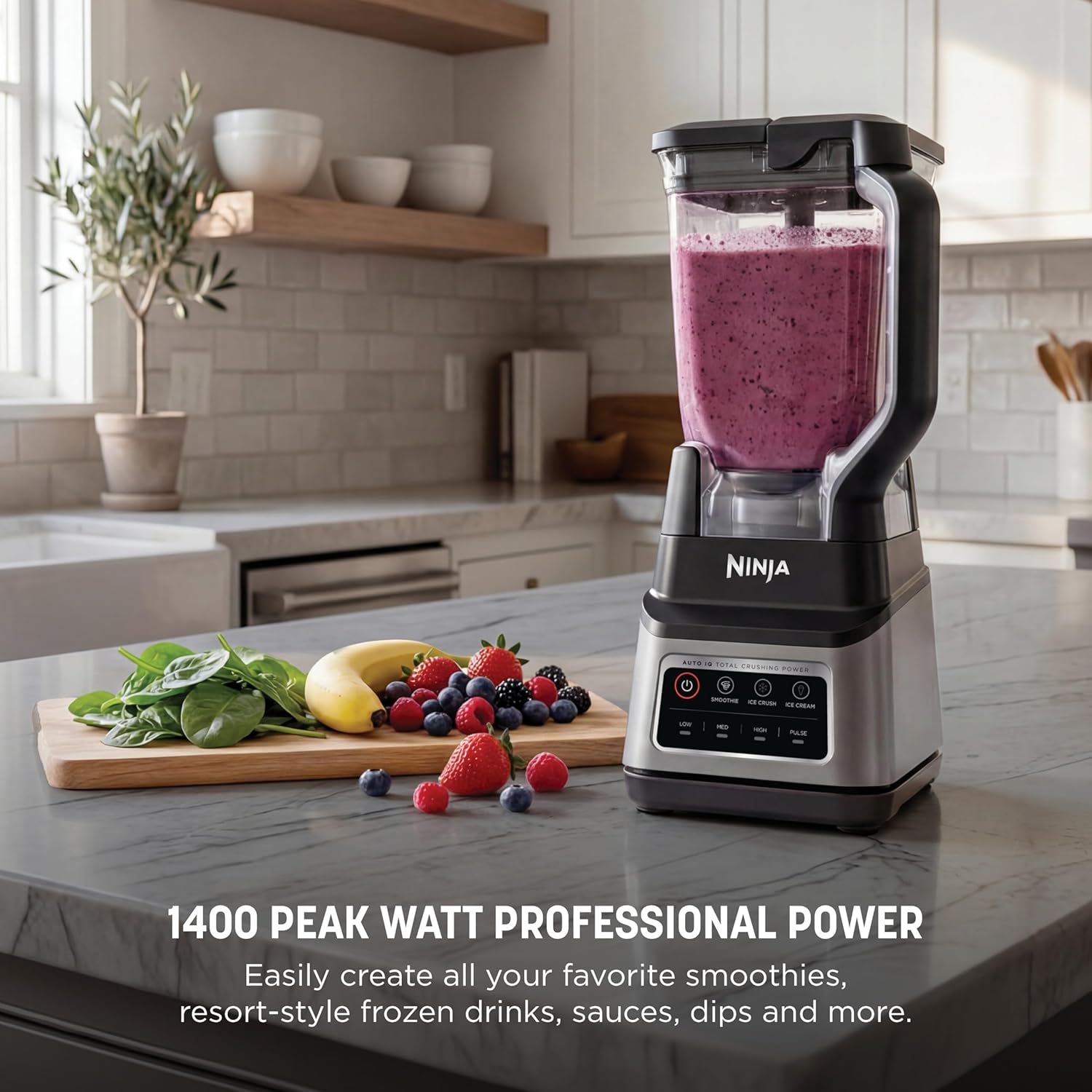
If you’ve been blending smoothies in a basic blender — the kind that cost under $80 and struggles with frozen fruit — and you’re now staring at two very different machines on a retailer’s website, you’re in good company. The Ninja Professional Plus (typically around $250) and the Breville Super Q (typically around $350) represent what the industry calls the “mid-tier” and “premium mid-tier” categories: blenders powerful enough to handle daily workloads, built to last longer than a budget model, but priced below the $600+ Vitamix territory. The core question between these two isn’t just about money — it’s about whether the Breville’s extra hundred dollars buys you meaningfully better results, or whether the Ninja punches close enough to its weight class that the upgrade math doesn’t pencil out. That’s exactly what this breakdown is going to answer.
What You’re Actually Comparing: Motor, Blade, and Container
Let’s start with the numbers that matter before we talk about what owners actually experience in day-to-day use.
By the numbers:
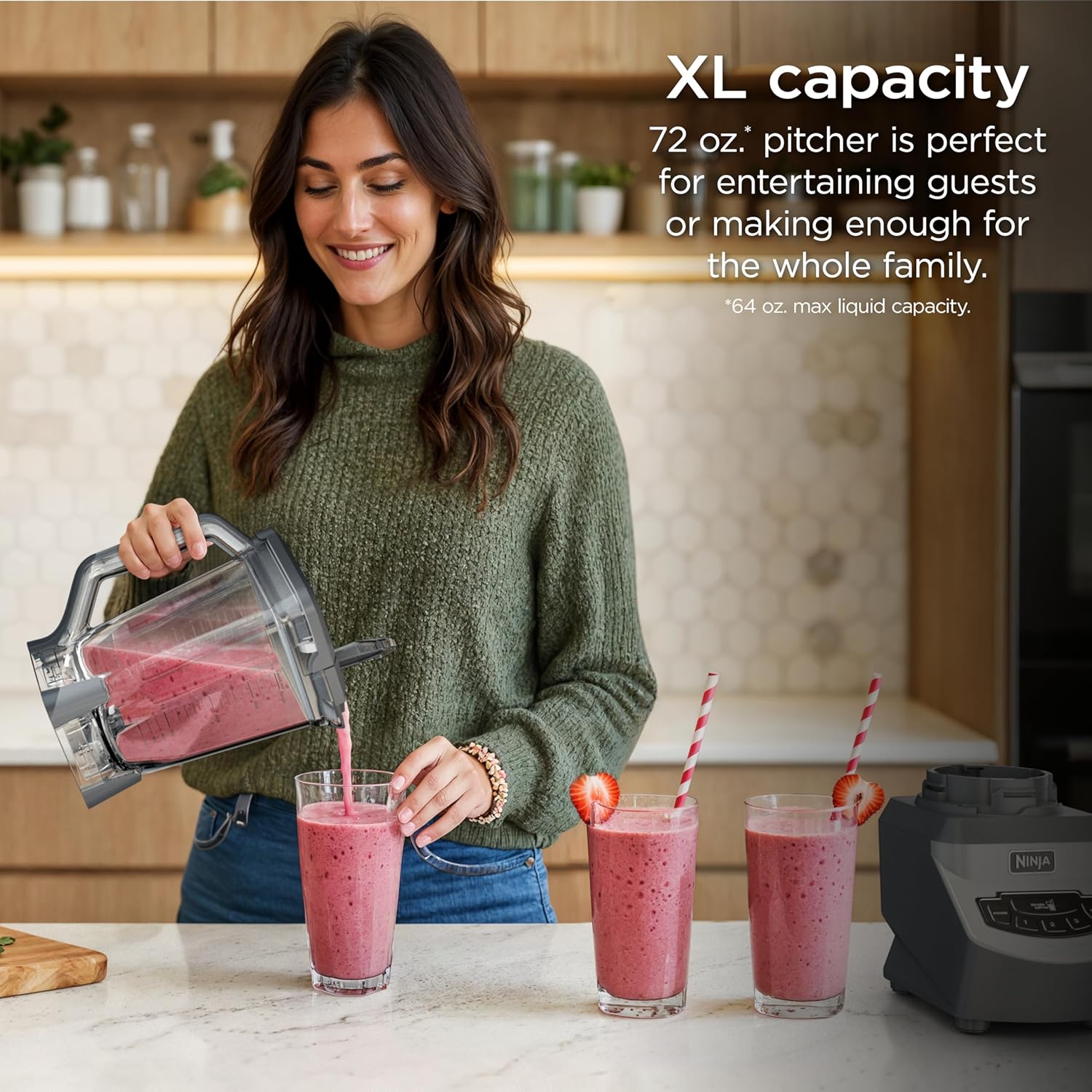
- Ninja Professional Plus: 1,400 watts (peak), 72 oz. Tritan plastic pitcher, 6-blade stacked assembly, 3 Auto-iQ programs
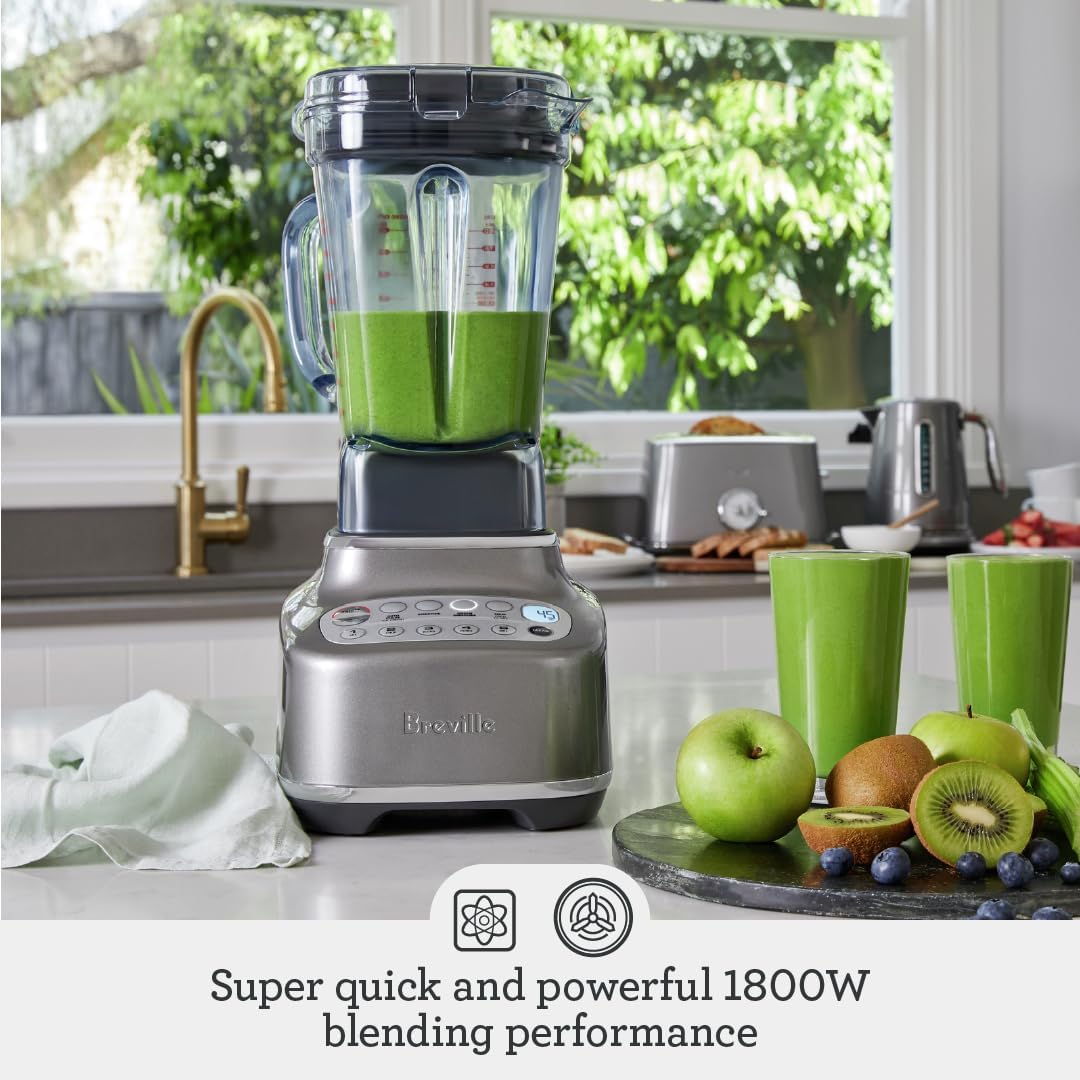
- Breville Super Q: 1,800 watts (peak), 68 oz. BPA-free copolyester pitcher + personal cup, 5-blade system, 11 preset programs, noise suppression enclosure
The wattage gap looks significant on paper — 1,800 vs. 1,400 — but here’s where the spec-sheet honesty matters. Peak wattage (the maximum draw at the motor’s hardest pull) doesn’t translate 1:1 into blending performance. What matters more is how a motor manages sustained load: whether it maintains blade speed when you drop in a frozen banana or a handful of ice without bogging down. Wirecutter, in its roundup “The Best Blenders,” consistently notes this distinction, pointing out that motor efficiency and blade geometry often matter more than raw wattage numbers when comparing mid-tier machines.
Blade Design and Container Geometry
Blade design is where the two brands diverge philosophically. Ninja uses a stacked blade assembly — multiple tiers of blades at different heights along a central column — which is designed to process large-batch volumes and give the blade more surface contact with the load. Breville’s Super Q uses a single-level, wider blade setup that spins at higher RPM with a shorter container-to-blade distance. The Spruce Eats, in their “Breville Super Q Blender Review,” notes that the Super Q’s blade geometry produces a noticeably finer, more homogeneous texture in smoothies and purees compared with similarly spec’d machines.
Ninja
$139.99
In stock on Amazon
Check price on AmazonContainer Size and Dual-Use Flexibility
The container question is worth a separate moment. Both use BPA-free plastic (not glass, not stainless), which is fine for most users — but if you’re processing hot liquids, be aware that neither pitcher is rated for hot-blend use without venting the lid. The Ninja’s 72 oz. container has the volume edge for batch cooking. The Breville’s 68 oz. is paired with a personal cup, giving it genuine dual-use flexibility that owners who do both family-sized batches and single-serve smoothies genuinely appreciate.
Ninja
$139.99
In stock on Amazon
Check price on AmazonWhere the Breville Earns Its Price Premium — and Where It Doesn’t
Noise Suppression: A Feature That Changes Daily Life
The Super Q’s most defensible premium feature isn’t the motor. It’s the integrated noise suppression enclosure — a cover that drops over the container while blending and cuts operating volume by a meaningful margin. Good Housekeeping, in its “Best Blenders of 2025” roundup, specifically calls out the Super Q as one of the quieter high-performance blenders in its class, a distinction most spec sheets don’t capture.
If you’re blending at 6 a.m. in a shared apartment, or running a small juice-service operation where blender noise affects the customer experience, this matters. The Ninja Professional Plus is not a quiet machine. Owners across aggregated reviews consistently describe it as loud — acceptable for a home kitchen, but noticeable. This isn’t a knock; it’s normal for a machine with exposed blades moving at high RPM. But it’s a real tradeoff worth naming.
Breville
$349.99
In stock on Amazon
Check price on AmazonTexture Outcomes on the Hardest Inputs
Frozen fruit, raw nuts, leafy greens with dense stems — these are the stress cases that separate blenders. Based on published reviews across multiple testing platforms, the pattern is consistent: the Super Q produces smoother output on the hardest inputs, particularly on fibrous greens and ice-heavy smoothies. Serious Eats, in “The Best Blenders, Tested and Reviewed,” specifically evaluates green smoothie texture and notes that premium-tier blenders measurably outperform mid-tier machines on leafy-green homogeneity — and the Super Q sits closer to that premium-tier performance than its $350 price tag might suggest.
The Ninja Professional Plus is not bad here — it handles frozen fruit and ice with genuine competence, which is more than most blenders at its price point can claim. But owners running daily green smoothie protocols with kale, spinach stems, and frozen produce report occasional texture inconsistency: small flecks or fibrous bits that the Super Q’s blade geometry tends to eliminate. If your protocol is mostly fruit-based or protein powder with liquid, this gap closes significantly.
Breville
$349.99
In stock on Amazon
Check price on AmazonPreset Programs and Day-to-Day Workflow
The Ninja’s 3 Auto-iQ presets (Blend, Ultra Blend, Pulse) are functional but minimal. They run timed sequences designed to handle standard smoothie loads, and owners find them sufficient for typical use. The Breville’s 11 presets include dedicated programs for green smoothies, frozen desserts, and more specialized applications. The Spruce Eats, in their “Breville Super Q Blender Review,” specifically calls out the frozen dessert preset as delivering notably smoother results than manual blending attempts on competing machines.
For hands-off workflow — press a button and walk away — the Super Q wins by a wide margin. For users who prefer manual speed control and don’t mind watching the machine, the Ninja’s simpler interface may actually feel less cluttered.
Ninja
$139.99
In stock on Amazon
Check price on AmazonWhere the Ninja Holds Its Ground
Batch Volume for Family and Meal-Prep Use
The Ninja Professional Plus earns the honest recommendation in a few concrete areas. The 72 oz. pitcher is the largest in this comparison, and for meal-preppers making soups, sauces, or large smoothie batches for families, that extra headroom prevents an extra blending round over time. Small difference per session, meaningful over a week.
Blender
$15.99
In stock on Amazon
Check price on AmazonValue Per Dollar on Light-to-Moderate Use
If your blending protocol is primarily protein shakes, basic smoothies, and occasional frozen drinks — inputs that don’t push the limits of either machine — the Ninja performs at roughly 85–90% of the Super Q’s output for 70% of the cost. That math favors the Ninja for anyone who isn’t regularly processing the hardest inputs. Wirecutter’s “The Best Blenders” roundup reflects a similar principle: diminishing returns accelerate sharply past a certain motor threshold for users with straightforward blending needs.
Blender
$15.99
In stock on Amazon
Check price on AmazonReplacement Parts and Long-Term Ownership
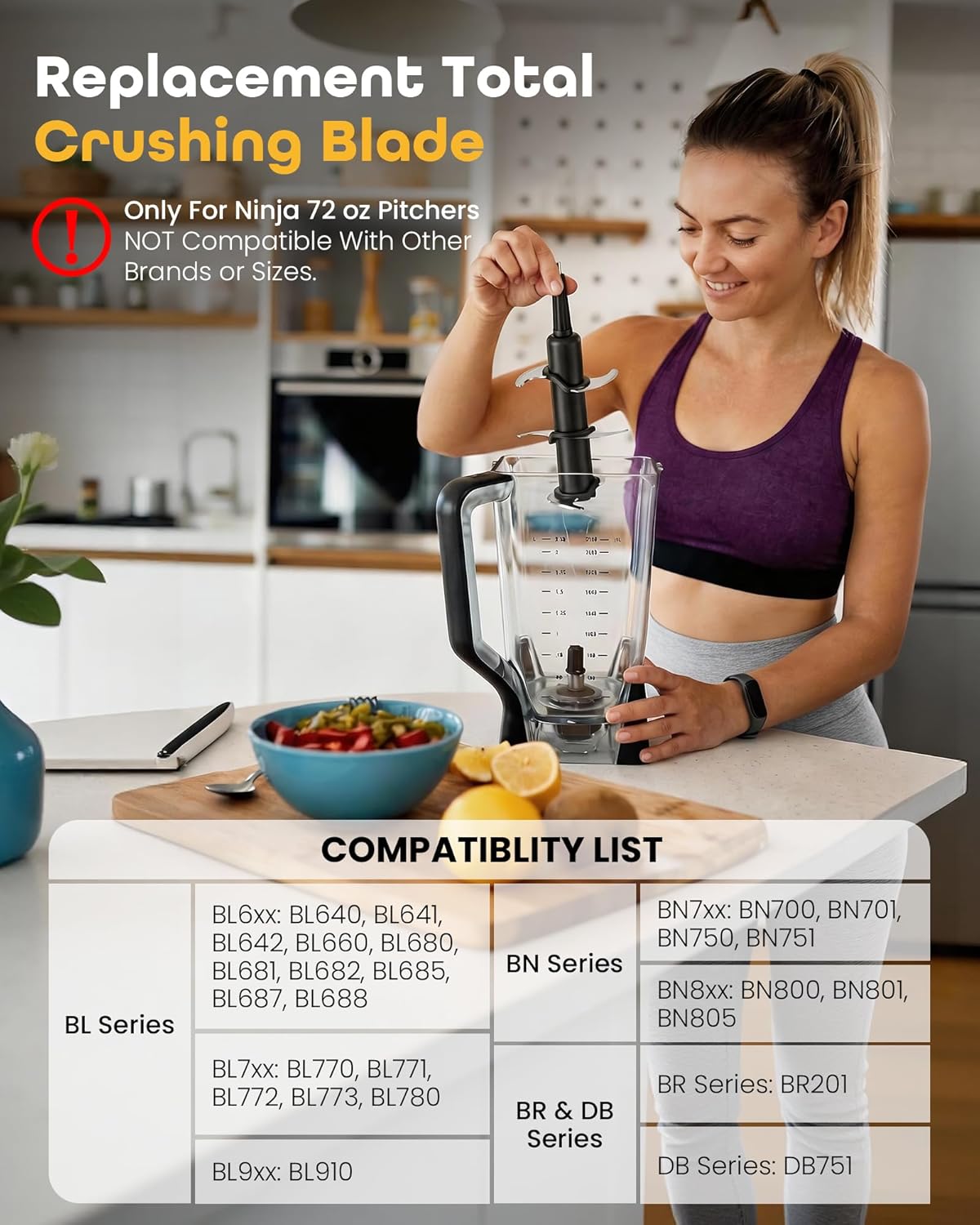
Ninja’s parts ecosystem — additional pitchers, blade assemblies, lids — is widely available through major retailers and is generally affordable. Breville’s parts are available but less commoditized. For heavy users who expect wear on blades or lids over a multi-year ownership cycle, this is a quiet but real advantage in favor of the Ninja.
Blender
$15.99
In stock on Amazon
Check price on AmazonThe Cost Math: Lifetime Value, Not Sticker Price
Let’s run the honest cost-per-use math because it changes the framing.
Assume 365 uses per year (one blend per day). At $250, the Ninja costs $0.68 per use in year one. At $350, the Breville costs $0.96 per use in year one. The gap is $0.28 per use — or about $102 over the year.
Now factor warranty: the Ninja Professional Plus carries a 1-year limited warranty. The Breville Super Q is also covered by a 1-year parts and labor warranty, with Breville’s U.S. service network generally regarded in owner communities as responsive. Neither machine is dramatically differentiated on warranty terms, but Breville’s service reputation in aggregated owner feedback skews slightly more favorable for issue resolution speed.
The cost math tilts toward the Breville if you hold the machine for 3+ years and blend daily, because the per-use gap compresses. At year three, you’re looking at roughly $0.23 per use (Ninja) vs. $0.32 per use (Breville) — a gap of $0.09 per use, or about $33 annually. The question stops being “is $100 worth it” and becomes “is better noise suppression, finer texture on hard inputs, and 11 presets worth $33 per year to me.” Framed that way, the Breville justifies itself more easily for daily-protocol users.
For light users (3–4 uses per week), the math flips: the Ninja’s lower absolute cost and adequate performance make the $100 savings genuinely meaningful, not just headline-attractive.
Refurbished Programs: The Option Most Buyers Skip
One detail the blender-buyer community consistently undervalues: both Ninja and Breville sell factory-certified refurbished units, and the Breville Super Q’s refurbished pricing — frequently in the $240–$280 range depending on availability — closes the price gap with the Ninja’s retail price almost entirely. Wirecutter’s “The Best Blenders” guide has noted the refurbished-program value for premium blenders broadly, and the principle holds here.
If you’re price-sensitive but performance-forward, checking Breville’s certified refurbished inventory before buying the Ninja at full retail is a step worth taking. The refurbished Super Q at $250 versus the new Ninja at $250 is a very different comparison than the headline prices suggest.
The Decision Frame: Which Machine Is Actually Right for You
Here’s the honest summary in plain terms.
Buy the Ninja Professional Plus if:
- You blend 3–4 times per week, not daily
- Your inputs are mostly soft: protein shakes, ripe fruit, basic smoothies
- You’re batch-blending large volumes (soups, family smoothies) and the 72 oz. capacity matters
- You want the lowest possible entry cost into genuine mid-tier performance
- Noise is not a meaningful constraint in your environment
Blender
$15.99
In stock on Amazon
Check price on AmazonBuy the Breville Super Q if:
- You blend daily, especially with hard inputs: frozen fruit, leafy greens, raw nuts
- Noise matters — shared walls, early-morning protocol, or customer-facing setting
- You want set-it-and-walk-away preset reliability across multiple use cases
- You’re planning to hold the blender for 3+ years and want the math to work long-term
- The refurbished market is accessible and closes the price gap to under $50
Breville
$349.99
In stock on Amazon
Check price on AmazonConsider stepping up to Vitamix or Blendtec instead if:
- You’re blending daily at commercial volume (juice bar, personal chef, athlete on a 2x-daily protocol)
- You want a 5–7 year warranty and genuine commercial-grade durability
- Your texture standards exceed what either of these machines can reliably deliver on the hardest inputs
Breville
$349.99
In stock on Amazon
Check price on AmazonThe $100 question has a real answer: it’s worth it for daily users with demanding inputs and noise sensitivity, and it isn’t for moderate users with straightforward smoothie protocols. There’s no version of this comparison where one machine is simply better — only a version where your actual use case points clearly in one direction. Know which direction you’re in before you click buy.